

Restaurant fit-out drawings can change several times before an outlet opens. For a franchise operator, the harder question is often which change belongs to which branch. A counter detail approved for one shoplot can quietly become the reference for another, even when its layout and service arrangement differ. A clear revision process keeps the current instruction visible without losing the reason for earlier decisions.
Use the following approach for a Selangor restaurant expansion when the same owner, designer, contractor or supplier is involved in several premises. It is a practical document-control routine. It does not replace technical coordination, contractual instructions or the authority assigned to your project team.
Give each branch its own current drawing list
Start with a register identifying the branch, drawing number, description, revision, issue date and purpose. A useful file name helps people find a document, but the register explains whether it is current and what it may be used for. Avoid naming a file “final” without a revision and date.
Keep a branch standard separate from a drawing issued for a particular premises. The standard may describe a brand requirement, while the project drawing records how the team has resolved that requirement on this site. A change to one does not automatically change the other.
Make issue status understandable to everyone
Agree a small set of statuses before the first major issue. For example, discussion, coordination, quotation and authorised construction can identify different uses. The project team should define who may change each status and who receives an issue. Do not invent a construction approval simply because the owner likes the appearance of a design.
Autodesk’s document-management guidance describes version history, structured reviews and records of issued documents. The useful principle is traceability: people should be able to find the current file and the decision behind it. A smaller project can apply that principle with a carefully maintained register and shared folder.
| Record | What to write | Why it helps |
|---|---|---|
| Branch and drawing | Site reference, drawing number and description | Prevents similar outlets being confused |
| Revision and issue | Revision code, date and intended use | Shows which instruction is current |
| Change summary | Specific location and the decision changed | Directs the reviewer to affected work |
| Review responsibility | Who checks design, operations, cost and programme | Avoids assuming one approval covers everything |
| Distribution | Recipients and acknowledgement where required | Shows whether the people doing the work received it |
Review the consequences before issuing the change
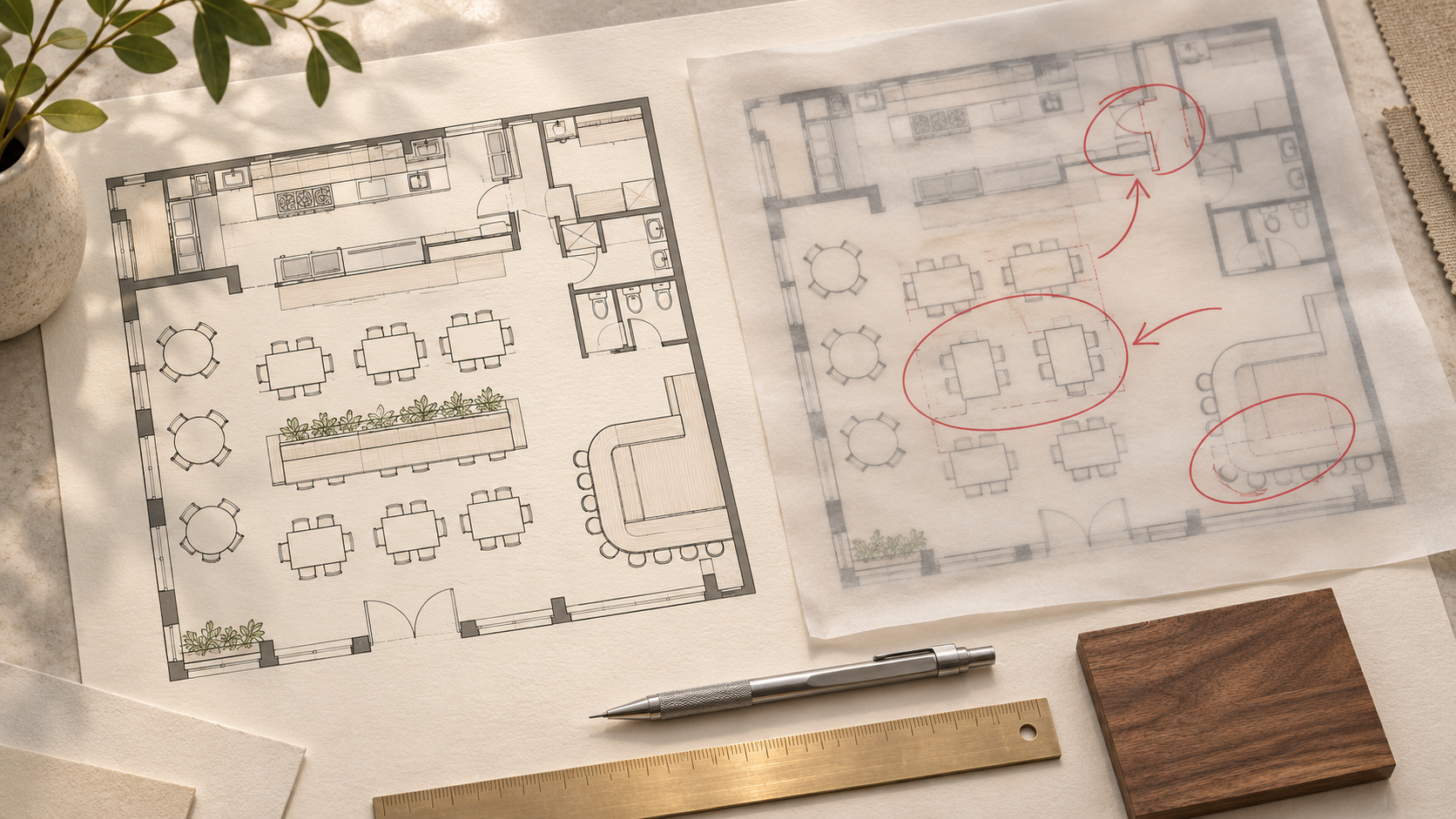
Take a simple hypothetical example: a franchise owner moves the cashier counter to improve the queue. Ask the team to review the adjacent joinery, equipment, lighting, service connections and operating route. The revised layout is only one part of the information that may need updating. Record which documents were checked and which remain open.
Keep the instruction specific. “Use the new counter” is ambiguous if two versions are circulating. Identify the affected drawing, revision and location, describe what replaces the earlier instruction, and record the authorised decision. Where cost or time changes are involved, follow the agreed contract process as well as the drawing process.
This article concerns information control. For the commercial discussion, use a separate change record alongside the restaurant renovation budget. A revised PDF should not conceal an unresolved scope or price decision.
Close the loop with the people using the drawings
Send one controlled issue to the agreed recipients instead of scattering different attachments across chat groups. Ask the contractor’s coordinator to confirm that the current set has reached the relevant trades. For work already ordered or fabricated, request a specific impact review before assuming a new issue can be adopted immediately.
Identify superseded drawings clearly and remove them from the active work set, while keeping an archive for reference. A printed copy on site needs the same attention as a digital file. During a site discussion, check the drawing reference on the actual copy being used rather than assuming everyone opened the latest attachment.

Keep improvements separate from branch exceptions
After opening, decide whether a useful change should become part of the next branch standard. Record the operating reason and any conditions. A solution created around an unusual column or an existing service point may remain a site exception.
At handover, collect the agreed final record and identify outstanding information. Keep a short summary of branch-specific differences with the outlet documents. When another designer or manager joins later, they should not have to reconstruct the design from private message threads.
Frequently asked questions
Is a message approving a drawing enough?
Use the approval method agreed for your project. Record the exact drawing and revision, the decision and any conditions in the formal project record so the team can trace it.
Must every branch share the same drawing revision?
No. Each site can progress independently. Keep the common brand standard identifiable, and record the current project issue for each branch.
Who should maintain the drawing register?
Nominate one document coordinator. Designers and relevant specialists remain responsible for their information, while the coordinator maintains the issue and distribution record.
Plan your F&B project with APIO
Share your premises, menu and the decisions you need to resolve through the APIO project planner. For a restaurant, cafe or pub in Selangor, bring the current layout and your operational priorities so the discussion can focus on a useful design-and-build brief. You can also use the existing enquiry form below.